Key Takeaways
- AI image upscaling intelligently enhances the details of low-resolution images.
- Different AI tools cater to various creative requirements, from photorealistic improvements to stylized upgrades.
- Choosing the right solution depends on understanding both your goals and the nuances of available technology.
Table of Contents
- Introduction
- Understanding AI Image Upscaling
- Popular AI Upscaling Tools
- Choosing the Right Tool for Your Needs
- Best Practices for AI Upscaling
- Future Trends in AI Upscaling
In an era where visual content defines the success of digital projects, ensuring the highest image quality is more important than ever. From photographers perfecting their galleries to content creators pushing boundaries, the ability to transform low-resolution images into sharp, detailed visuals through intelligent solutions keeps professionals ahead of the curve. One increasingly popular approach is AI-powered image upscaling, which leverages advanced techniques to enhance resolution. If you are seeking actionable ways to enhance your visuals, an AI-powered image upscaler might be the tool that delivers the detail and clarity you need.
AI upscaling relies on sophisticated machine learning models that do much more than stretch pixels. Instead, these models intelligently generate missing details, analyze textures, and maintain the integrity of the original photo or artwork. For industries ranging from digital art and publishing to e-commerce and web design, adopting AI upscaling ensures that visuals remain crisp and engaging across devices and platforms. As expectations for immaculate graphics rise, traditional resizing tools often fall short, making AI-driven methods essential for anyone serious about the quality of their visual content.
Whether you are elevating old archive photos or optimizing assets for modern website design, understanding the varied approaches to AI image upscaling empowers you to make informed decisions. While some upscalers focus on preserving authenticity, others offer creative enhancements, giving you full control over the final look and style of every project. With advancements continually emerging, leveraging these tools can unlock new creative and professional opportunities while future-proofing your workflow.
To maximize benefits, it’s important to assess your specific requirements and the nature of your creative work. The right tool can bridge the gap between a simple resolution boost and a truly professional result. Remaining informed of the evolving landscape will keep your visuals at the forefront of digital excellence.
Understanding AI Image Upscaling
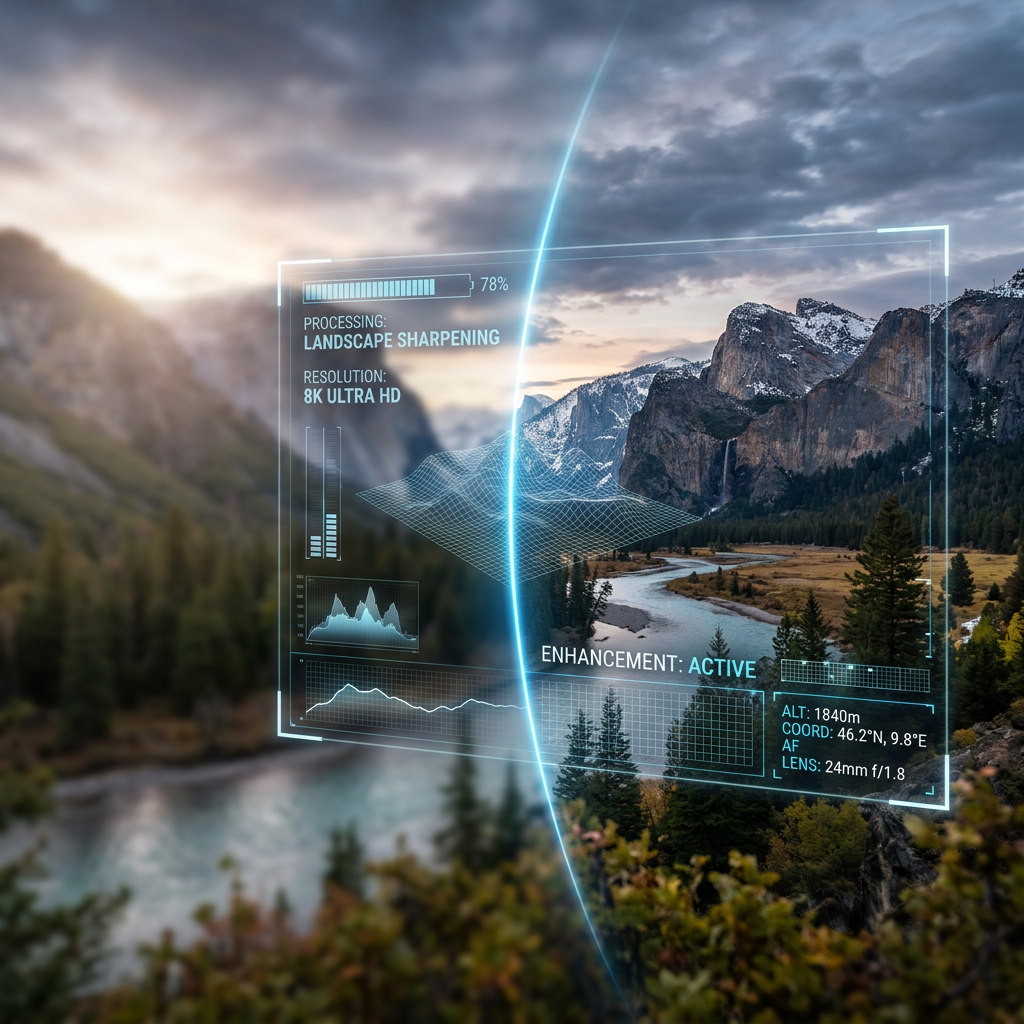
AI image upscaling is a modern technique that uses machine learning algorithms to upgrade images from lower to higher resolutions. Unlike basic upscaling methods, which simply interpolate existing data and can cause blurring or visible pixels, AI models analyze patterns from millions of training images. They learn to predict missing information, reconstruct natural-looking details, and maintain both texture and clarity. This results in visually richer images that appear natural and remain faithful to the source material, whether used for prints, digital displays, or online publication.
New developments in AI upscaling leverage deep neural networks, including generative adversarial networks (GANs), which excel at reconstructing texture and edges. These technologies reduce common upscaling flaws and ensure that enhanced images do not suffer from over-smoothing, noise artifacts, or distortion. In industries where visual quality reflects brand value—such as fashion, travel, retail, and media—AI upscaling supports robust, scalable workflows and elevates the viewing experience.
Popular AI Upscaling Tools
The growing need for enhanced visual content has led to a surge in AI upscaling applications, each offering unique strengths:
- Topaz Gigapixel AI: Favored by professional photographers and artists, this desktop software allows upscaling up to 600 percent. It is known for its preservation of fine details and powerful batch processing, making it suitable for large image libraries.
- Adobe Super Resolution: As part of Adobe’s suite, this feature is integrated into Camera Raw and Lightroom. It leverages AI to double the linear resolution of images without significant quality loss, streamlining enhancement for users familiar with Adobe’s ecosystem.
- Magnific AI: This tool combines upscaling with creative enhancement. It is ideal for illustrators and digital artists who want to add stylistic elements while improving clarity and texture.
- Microsoft Edge AI Upscaling: For rapid, in-browser improvements, Microsoft Edge now includes a built-in AI upscaler that delivers sharper images directly within web pages, optimizing the user experience on visually intensive sites.
Choosing the Right Tool for Your Needs
The optimal AI upscaling tool depends on your workflow and creative objectives:
- Photographers seeking faithful enlargement of prints or digital assets often prefer Topaz Gigapixel AI or Adobe Super Resolution for their realism and subtlety.
- Digital artists may gravitate toward Magnific AI, which adds artistic flair during upscaling.
- Web developers focused on fast, seamless web presentation benefit from Microsoft Edge’s integrated tools, which enhance image quality on the fly and improve engagement metrics.
Consider your need for automation, integration, and specific creative outcomes when choosing between desktop software and browser-based enhancements.
Best Practices for AI Upscaling
- Use the Best Original File: Higher-quality source images produce better results and give AI more data to work with.
- Know Tool Limitations: Learn what each application excels at and where it may introduce artifacts or limitations, especially for large enlargements.
- Customize Settings: Adjust sharpness, noise reduction, and scale to match your goals, always balancing enhancement with authenticity.
- Post-Process If Needed: Review enhanced images for any artifacts or over-processing and refine them using standard editing tools to ensure professional quality.
Future Trends in AI Upscaling
AI-driven image enhancement is moving toward real-time processing and seamless integration across design, publishing, and e-commerce platforms. New algorithms are focusing on even more photorealistic results, supporting video upscaling, and adapting enhancements to match style preferences or device profiles. As remote collaboration increases and image sharing remains ubiquitous, continued innovation in AI upscaling will influence everything from mobile photography to cinematic production. Staying informed and adaptable ensures you can leverage these rapid enhancements and maintain a professional visual presence in any industry.
AI image upscaling is not just a trend but a transformative technology that empowers creators to achieve exceptional image quality, streamline workflows, and meet the demands of today’s visually driven audiences. By selecting the right tools, applying best practices, and keeping an eye on developments, you can elevate every project from ordinary to extraordinary.
Discover more from The Cameron Journal
Subscribe to get the latest posts sent to your email.